
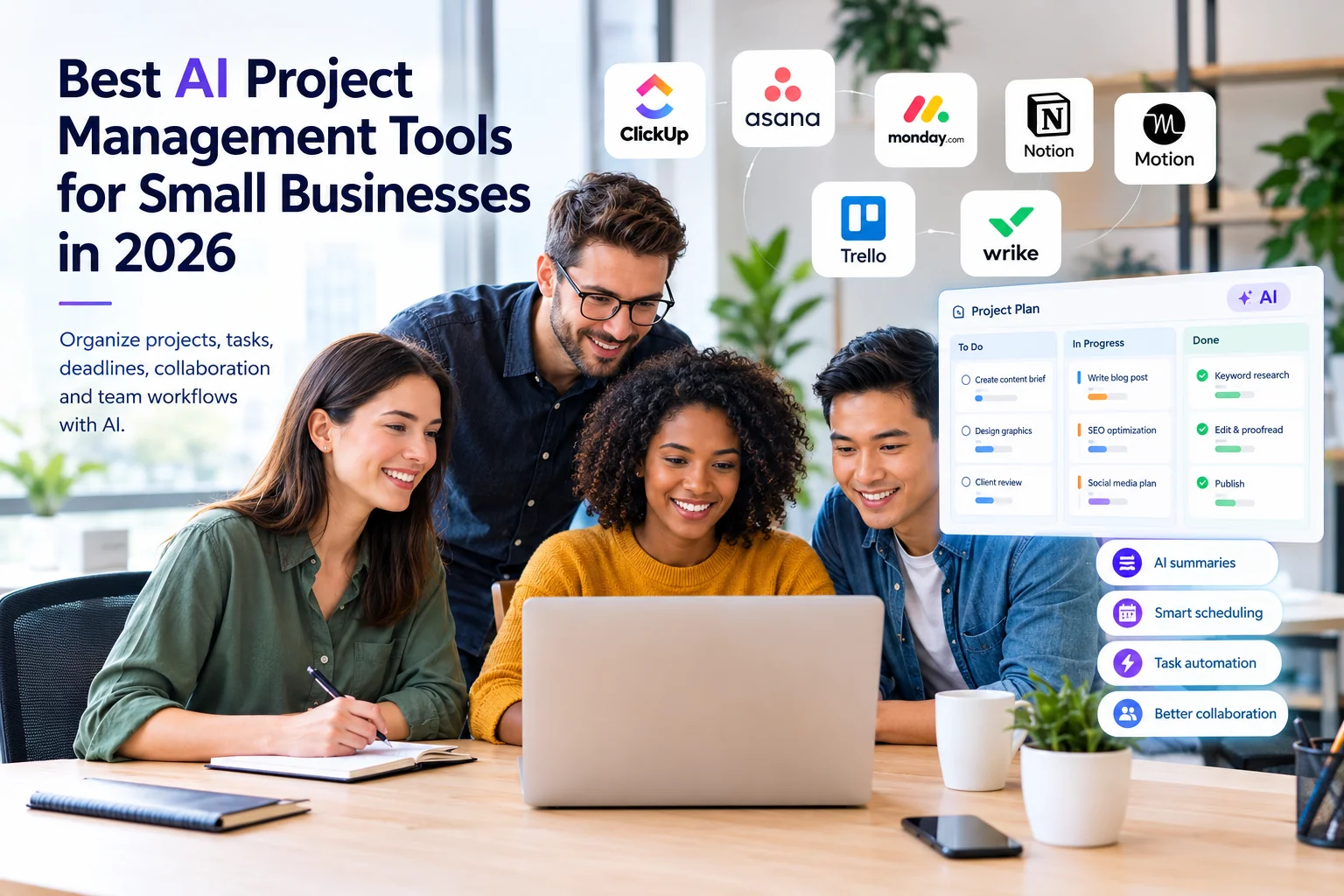
Small businesses often have to manage projects, deadlines, client requests, team communication, documents, and repetitive administrative work with limited time and resources. AI project management tools can help bring many of these activities into one organized workspace while reducing some of the manual work involved in planning and tracking projects.
But choosing the right platform is not always easy. Some tools focus on structured project management, while others combine project management with documents, automation, AI scheduling, collaboration, or broader business workflows.
In this guide, we compare the best AI project management tools for small businesses in 2026, including ClickUp, Asana, monday.com, Notion, Motion, Trello, and Wrike. We also explain what each tool is best suited for, pricing considerations, key AI capabilities, limitations, and how to choose the right option for your business.
Quick Picks: Best AI Project Management Tools for Small Businesses
| Tool | Best For | Starting Paid Price* |
|---|---|---|
| ClickUp | All-in-one project and work management | Free plan; paid plans from $7/user/month |
| Asana | Structured team projects and coordination | Starter from $10.99/user/month annually |
| monday.com | Visual workflows and operations | Free plan; paid plans from $9/seat/month annually |
| Notion | Projects, documents, and knowledge management | Free plan; Plus from $10/member/month |
| Motion | AI scheduling and task planning | Pro AI from $19/seat/month |
| Trello | Simple Kanban project management | Free plan; Standard from $5/user/month annually |
| Wrike | Structured project and workflow management | Free plan; Team from $10/user/month |
*Pricing and AI availability can change by plan, billing period, region, workspace, and product packaging. Check the official pricing page before purchasing.
What Are AI Project Management Tools?
AI project management tools are project and work management platforms that use artificial intelligence to assist with tasks such as planning, organizing, summarizing, prioritizing, scheduling, writing, reporting, and workflow automation.
Instead of using AI as a completely separate application, these platforms place AI capabilities inside the project management environment. That means project information, tasks, documents, comments, deadlines, and workflows can often be used as context for AI-assisted work.
How AI Project Management Differs From Traditional Project Management
Traditional project management software mainly helps teams create tasks, assign responsibilities, establish deadlines, track progress, and communicate about projects.
AI project management adds an additional assistance layer. Depending on the platform and plan, AI may help summarize updates, generate or refine content, organize information, suggest priorities, assist with workflows, or help users find information faster.
AI Project Management vs. AI Automation
These concepts overlap but are not identical.
- AI project management focuses primarily on organizing and managing project work.
- AI automation focuses on reducing repetitive actions across applications and business processes.
- AI productivity tools can help with broader individual or team tasks such as writing, research, meetings, scheduling, and communication.
If you are also researching automation platforms, see our guide to Best AI Automation Tools for Small Businesses in 2026.
What Can AI Project Management Tools Do for Small Businesses?
The exact capabilities depend on the platform and subscription, but modern AI project management software can support several common business activities.
Create and Organize Tasks
AI features can help turn information from project discussions, documents, or instructions into more structured tasks. This can reduce the amount of manual formatting required when starting new work.
Generate Project Plans
Some platforms can assist users in breaking larger objectives into tasks, subtasks, milestones, or workflows. The resulting plan should still be reviewed by a person before it becomes the team’s working plan.
Summarize Project Updates
AI can be useful for summarizing long task descriptions, comments, discussions, and updates. This can help team members understand project status without reading every message.
Prioritize Work
AI-assisted prioritization can help teams organize work based on deadlines, task information, workload, or other available project context. Human review remains important because business priorities are not always visible in project data.
Track Deadlines
Project management platforms can track due dates, dependencies, milestones, and task progress. Some AI features can make it easier to understand what needs attention.
Create Status Reports
AI can assist with summarizing project information into updates or reports. This can be particularly useful for agencies and small teams that regularly need to communicate progress with clients or managers.
Schedule Work
Some tools focus heavily on AI-assisted scheduling. These can be useful when a business has many tasks, deadlines, meetings, and competing priorities.
Support Collaboration
AI project management platforms can bring tasks, conversations, documents, project updates, and other information together so teams spend less time searching across different systems.
Best AI Project Management Tools for Small Businesses in 2026
1. ClickUp — Best for All-in-One Project and Work Management
Best for: Small businesses that want project management, tasks, documents, collaboration, dashboards, and AI capabilities in one workspace.
ClickUp is designed as a broad work management platform rather than a simple task list. It can be used for project planning, task management, documents, dashboards, collaboration, and workflows.
Its current AI offering includes ClickUp Brain and the Everything AI package. ClickUp’s published pricing currently lists paid work-management plans such as Unlimited at $7 per user per month when billed annually, while Brain AI is listed separately at $9 per user per month and Everything AI at $28 per user per month. However, ClickUp’s AI-inclusive plan packaging is being rolled out and can vary between workspaces, so businesses should check their own pricing before purchasing.
- AI-assisted project and task work
- AI writing and summaries
- AI chat and workspace assistance
- AI-powered prioritization and assignment features
- AI automation capabilities on supported plans
- Dashboards, documents, tasks, and project management
Why choose ClickUp: It is a strong option when you want a broad project and work management platform rather than a lightweight task manager.
Limitation: The large number of features and AI options can create a learning curve for very small teams.
View ClickUp’s official pricing
2. Asana — Best for Structured Project and Team Coordination
Best for: Teams that need structured projects, task dependencies, timelines, reporting, and clear responsibilities.
Asana is a well-established project management platform built around projects, tasks, goals, workflows, and team coordination. Its interface can work well for businesses that need a clear structure for assigning and tracking work.
Asana’s current Starter plan is listed at $10.99 per user per month when billed annually. Asana AI is included on Starter and Advanced plans, with AI capabilities such as AI Teammates, Asana Dash, and AI Studio. Additional AI usage can involve separate usage-based charges depending on the feature and billing arrangement.
- AI-assisted task and project work
- AI summaries and content assistance
- AI Studio for workflow automation
- Timeline and Gantt views on paid plans
- Reporting dashboards
- Forms and workflow automation
Why choose Asana: It is a good fit for teams that value structured project planning and clear task ownership.
Limitation: Businesses should understand the AI request and usage model before assuming that every AI capability is unlimited.
3. monday.com — Best for Visual Workflows and Business Operations
Best for: Small businesses that prefer visual boards and want to manage projects, operations, workflows, and team processes.
monday.com uses visual boards to organize work and can be adapted to project management, marketing operations, sales processes, customer workflows, and other business activities.
Its current AI model is based on AI credits for customers using the newer monday AI work platform model. The published pricing structure currently lists Basic at $9 per seat per month, Standard at $12, and Pro at $19 when billed annually. For customers joining under the newer AI credit model, minimum AI credit allocations vary by plan.
- AI-assisted workflows
- AI Notetaker
- AI blocks
- AI agents
- monday Sidekick
- Visual project boards
- Timeline and workflow management
Why choose monday.com: Its visual approach can make it easier for teams to see project status and operational workflows.
Limitation: AI usage is increasingly connected to a credit-based model, so businesses should understand expected AI consumption before selecting a plan.
View monday.com’s official pricing
4. Notion — Best for Projects, Documents, and Knowledge Management
Best for: Small businesses that want project management combined with documentation, internal knowledge, notes, databases, and collaboration.
Notion takes a different approach to project management. Instead of focusing only on traditional project boards, it combines pages, databases, documents, tasks, wikis, and collaboration features.
Notion’s current pricing lists a Free plan, Plus at $10 per member per month, and Business at $20 per member per month. Notion AI is included with Business and Enterprise, while other plans can have limited AI trial access. Custom Agents use Notion credits on supported Business and Enterprise setups.
- AI-assisted writing and documentation
- Notion Agent
- AI Meeting Notes
- Enterprise Search on supported plans
- Project databases
- Knowledge management
- Connected workspace information
Why choose Notion: It is especially useful when projects depend heavily on documentation, research, notes, processes, and internal knowledge.
Limitation: Businesses looking for a traditional project-management-first platform may find Notion requires more setup and customization.
View Notion’s official pricing
5. Motion — Best for AI Scheduling and Task Planning
Best for: Small teams, professionals, and business owners who struggle with scheduling tasks around meetings and deadlines.
Motion combines project and task management with calendar and scheduling functionality. Its focus is different from tools such as Trello because scheduling is a central part of the product experience.
Motion’s current published pricing lists Pro AI at $19 per seat per month and Business AI at $29 per seat per month. The plans include AI-powered capabilities across projects, tasks, calendars, meetings, documents, and related work features.
- AI task planning
- AI-assisted scheduling
- Calendar management
- Project and task management
- AI writing and editing
- Meeting and work organization
Why choose Motion: Choose it when scheduling and deciding when work should happen is one of your biggest productivity problems.
Limitation: Businesses that only need simple Kanban project management may not need Motion’s broader scheduling-focused approach.
View Motion’s official pricing
6. Trello — Best for Simple Kanban Project Management
Best for: Freelancers and small teams that want an easy visual board without a complex project management setup.
Trello uses boards, lists, and cards to organize work. Its simplicity makes it particularly suitable for content calendars, marketing campaigns, simple client projects, task pipelines, and small team workflows.
Trello’s current pricing lists a Free plan, Standard at $5 per user per month when billed annually, and Premium at $10 per user per month when billed annually. AI features are available on supported paid plans, and Trello also provides AI functionality during eligible trials.
- Visual Kanban boards
- AI-assisted board and card functionality
- Automation
- Custom fields on paid plans
- Advanced checklists
- Planner features
Why choose Trello: It is a strong choice when simplicity matters more than advanced portfolio or resource management.
Limitation: Businesses managing complex projects may eventually need more advanced reporting, resource planning, or project structures.
View Trello’s official pricing
7. Wrike — Best for Structured Workflows and Growing Teams
Best for: Growing businesses that need structured project management, dashboards, workflows, and more advanced work management capabilities.
Wrike combines project management with workflow and reporting capabilities. It can be useful for businesses managing multiple projects, departments, clients, or structured approval processes.
Wrike currently lists a Free plan, Team at $10 per user per month, and Business at $25 per user per month, with the displayed pricing billed annually. Team includes AI Essentials such as AI content and editing, comment summaries, board AI, mobile inbox prioritization, and natural-language automation rule generation. Business adds AI Elite capabilities, including access to AI agent functionality.
- Project and task management
- AI content assistance
- Comment summaries
- AI-assisted board features
- Natural-language automation rule generation
- Gantt charts
- Dashboards and reporting
Why choose Wrike: It can be a good fit for growing teams that need more structured project and workflow management.
Limitation: Smaller teams with straightforward projects may find its broader feature set more than they need.
AI Project Management Tools Comparison
| Tool | Best For | AI Focus | Project Management | Learning Curve |
|---|---|---|---|---|
| ClickUp | All-in-one work management | Broad AI assistance and automation | Excellent | Medium |
| Asana | Structured team projects | AI assistance and workflow automation | Excellent | Low–Medium |
| monday.com | Visual workflows | AI workflows, agents, and assistance | Excellent | Medium |
| Notion | Projects + knowledge | AI workspace and agents | Very Good | Medium |
| Motion | Scheduling | AI task planning and scheduling | Very Good | Medium |
| Trello | Simple Kanban projects | AI and automation | Good | Low |
| Wrike | Growing teams | AI assistance and workflow automation | Excellent | Medium–High |
Which AI Project Management Tool Should You Choose?
For Solopreneurs
Solopreneurs usually benefit from tools that do not require extensive setup. Trello, Notion, Motion, and ClickUp can all be considered depending on whether simplicity, documentation, scheduling, or broader work management is the priority.
For Small Marketing Teams
Asana, ClickUp, monday.com, and Trello can work well for marketing teams managing content calendars, campaigns, approvals, tasks, and deadlines.
You can also combine project management with dedicated AI marketing tools for small businesses when your marketing workflow requires specialized capabilities.
For Agencies and Client Projects
Agencies should prioritize task ownership, deadlines, client visibility, reporting, approvals, and workload management. Asana, ClickUp, monday.com, and Wrike are worth evaluating for this type of environment.
For Remote Teams
Choose a platform that keeps tasks, comments, files, project updates, and deadlines organized in one place. Asana, ClickUp, monday.com, Notion, and Wrike can all support distributed teams.
For AI Scheduling
Motion deserves particular attention if the main problem is deciding when tasks should be completed around meetings, deadlines, and available working time.
For Simple Project Management
If your team simply needs a visual way to move tasks through stages, Trello may be enough. You do not necessarily need a feature-heavy platform for a simple workflow.
Best Free AI Project Management Tools
Several platforms in this comparison offer free plans or trials, but free access to AI features varies considerably.
- ClickUp: Free plan with trial access to AI capabilities.
- Asana: Free Personal plan for smaller teams, with more advanced AI available on paid plans.
- monday.com: Free plan with limited functionality; AI availability depends on plan and current AI packaging.
- Notion: Free plan with limited AI trial capabilities.
- Trello: Free plan, with AI capabilities available on supported plans and trials.
- Wrike: Free plan for basic task and project management.
For a business evaluating AI project management software, the free plan should be treated as a testing environment rather than assuming that all important AI features will remain free.
AI Project Management vs. Traditional Project Management
| Area | Traditional Project Management | AI-Assisted Project Management |
|---|---|---|
| Task creation | Mostly manual | Can be AI-assisted |
| Project planning | Manual planning | AI can assist with plans and task structures |
| Summaries | Manual updates | AI can summarize project information |
| Prioritization | Human-driven | AI can provide assistance |
| Scheduling | Mostly manual | Some platforms provide AI scheduling |
| Automation | Rule-based | May include AI-assisted workflows |
| Decision-making | Human | Human + AI assistance |
How AI Project Management Can Help Small Businesses
Small businesses often have limited staff, which means the same people may manage projects, marketing, customer communication, operations, and administration.
AI project management tools can help by reducing some of the manual work involved in organizing information and keeping projects updated.
- Reduce repetitive project administration
- Make project information easier to search
- Summarize long conversations and updates
- Help organize tasks and deadlines
- Improve visibility into ongoing work
- Support standardized workflows
- Assist with project documentation
- Help teams coordinate work across projects
The biggest benefit is not simply adding AI to project management. The goal is to create a clearer workflow where people can spend more time on decisions and execution instead of repeatedly organizing information.
AI Project Management for Marketing and SEO
AI project management can be particularly useful for marketing and SEO teams because these activities involve recurring tasks, content production, approvals, deadlines, research, reporting, and collaboration.
- SEO content planning
- Keyword research task management
- Content briefs
- Content production workflows
- Editorial calendars
- Link-building campaigns
- SEO audit task management
- Client approval workflows
- Marketing campaign management
- Monthly reporting workflows
If you are building an AI-focused SEO workflow, see our guide to Best AI SEO Tools for Small Businesses in 2026.
For content-heavy workflows, our guide to Best AI Writing Tools for Small Businesses in 2026 can also help you evaluate specialized writing platforms.
How to Choose an AI Project Management Tool
Do not choose a platform simply because it has the largest list of AI features. Start with your business workflow and then identify which AI capabilities can actually improve it.
1. Identify Your Main Project Management Problem
Are you struggling with deadlines, task organization, team communication, scheduling, documentation, reporting, or repetitive workflows? The answer should influence your choice.
2. Check the Core Project Features
Before evaluating AI, check whether the platform provides the basic features your business needs: tasks, subtasks, deadlines, dependencies, views, collaboration, reporting, and integrations.
3. Evaluate the AI Usage Model
AI pricing is becoming increasingly varied. Some products bundle AI into plans, while others use requests, credits, add-ons, or usage-based pricing.
For example, monday.com uses AI credits in its newer AI work platform model, while Asana provides included AI allocations and offers additional usage options. Notion also uses credits for Custom Agents on supported plans. :contentReference[oaicite:1]{index=1}
4. Consider Team Size
A solo business owner may prefer a simple platform, while a growing team may need permissions, reporting, workload management, dashboards, and advanced workflows.
5. Check Integrations
Your project management platform should fit into your existing technology stack. Check integrations with the tools your business already uses for communication, documents, calendars, marketing, sales, accounting, or customer management.
6. Test Before You Commit
Whenever possible, use a free plan or trial. Build one real project and test the platform with your actual workflow before moving the entire business onto it.
Common AI Project Management Mistakes
- Choosing too many features: More features do not automatically mean better results.
- Ignoring AI usage costs: Credits and usage-based pricing can affect your total cost.
- Automating everything immediately: Start with simple workflows and expand gradually.
- Trusting AI-generated plans without review: AI suggestions should be checked against actual business priorities.
- Failing to establish ownership: AI cannot replace clear responsibility for important tasks.
- Ignoring data governance: Understand how your chosen platform handles business information and connected data.
How to Implement AI Project Management in a Small Business
You do not need to move every business process into an AI project management platform on day one.
- Choose one recurring workflow. Start with content production, client projects, sales activities, or another repeatable process.
- Create a standard project template. Define the normal tasks, owners, deadlines, and stages.
- Add AI assistance. Use AI for summaries, task creation, documentation, or other practical activities.
- Measure the workflow. Track whether the platform actually saves time or improves visibility.
- Expand gradually. Add additional workflows only after the first workflow is working reliably.
Are AI Project Management Tools Worth It?
For many small businesses, AI project management software can be worthwhile when project coordination consumes significant time or when information is spread across multiple systems.
However, the value depends on how the business actually works. A two-person business managing a handful of simple projects may not need an advanced platform. A growing agency managing multiple clients, deadlines, approvals, and team members may benefit much more from centralized project management and AI assistance.
The best approach is to compare the software’s core project management capabilities, AI features, pricing model, integrations, and ease of use against your actual workflow.
How We Evaluated AI Project Management Tools
For this comparison, we focused on factors that matter to small businesses rather than simply counting the number of AI features.
- Project and task management capabilities
- AI-assisted project workflows
- Task organization and prioritization
- Scheduling capabilities
- Collaboration features
- Automation capabilities
- Ease of use
- Pricing and AI usage considerations
- Suitability for small teams
- Ability to support growing workflows
Pricing and features can change, so readers should verify current details on each vendor’s official website before purchasing.
Frequently Asked Questions
What is the best AI project management tool for a small business?
There is no single best tool for every small business. ClickUp is worth considering for all-in-one work management, Asana for structured projects, monday.com for visual workflows, Notion for projects and knowledge management, Motion for AI scheduling, Trello for simple Kanban workflows, and Wrike for more structured growing-team workflows.
Can AI project management tools create project plans?
Some platforms can assist with creating tasks, project structures, summaries, or workflows using AI. However, generated plans should be reviewed by a person before they are used as the final business plan.
Are AI project management tools free?
Several platforms offer free plans, including ClickUp, Asana, monday.com, Notion, Trello, and Wrike. However, free plans typically have limitations, and access to advanced AI features may require a paid plan or usage-based AI credits.
Which AI project management tool is best for agencies?
Agencies should look for strong task management, client collaboration, deadlines, approvals, reporting, and workload visibility. ClickUp, Asana, monday.com, and Wrike are all worth evaluating depending on the agency’s workflow.
Is Notion good for project management?
Yes. Notion can manage projects using databases, tasks, dependencies, documentation, and workspace collaboration. It is particularly useful when project management and knowledge management need to exist together.
Is Trello good for small businesses?
Trello can be a good choice for small businesses with straightforward workflows. Its board-and-card structure is relatively easy to understand and can work well for content calendars, simple client projects, campaigns, and task pipelines.
Can AI replace a project manager?
AI project management tools can automate or assist with certain administrative activities, but they do not eliminate the need for human judgment, leadership, communication, prioritization, and accountability.
Do AI project management tools replace AI automation tools?
No. Project management platforms organize and coordinate work, while automation platforms are generally designed to connect applications and automate repetitive processes across systems. Some modern project management tools include automation features, but they are not necessarily a replacement for dedicated automation platforms.
Related AI Tools Guides
- Best AI Productivity Tools for Small Businesses in 2026
- Best AI Automation Tools for Small Businesses in 2026
- Best AI SEO Tools for Small Businesses in 2026
- Best AI Writing Tools for Small Businesses in 2026
- Best AI Marketing Tools for Small Businesses in 2026
- What Are AI Tools for Small Businesses? A Beginner’s Guide
Final Thoughts
The best AI project management tool for a small business depends on the type of work you manage, your team size, your preferred workflow, and how much AI assistance you actually need.
ClickUp is a strong option for businesses looking for broad work management. Asana is well suited to structured project coordination. monday.com works well for visual workflows, while Notion combines projects with documentation and knowledge management. Motion is particularly interesting for AI-assisted scheduling, Trello keeps project management simple, and Wrike is designed for more structured and growing workflows.
Before purchasing, compare the core project management features first and then evaluate the AI capabilities, usage limits, integrations, and total cost. AI should support your workflow rather than make an already complicated process more complicated.
Start with one real business workflow, test the platform, measure the results, and expand only when the tool proves useful for your team.