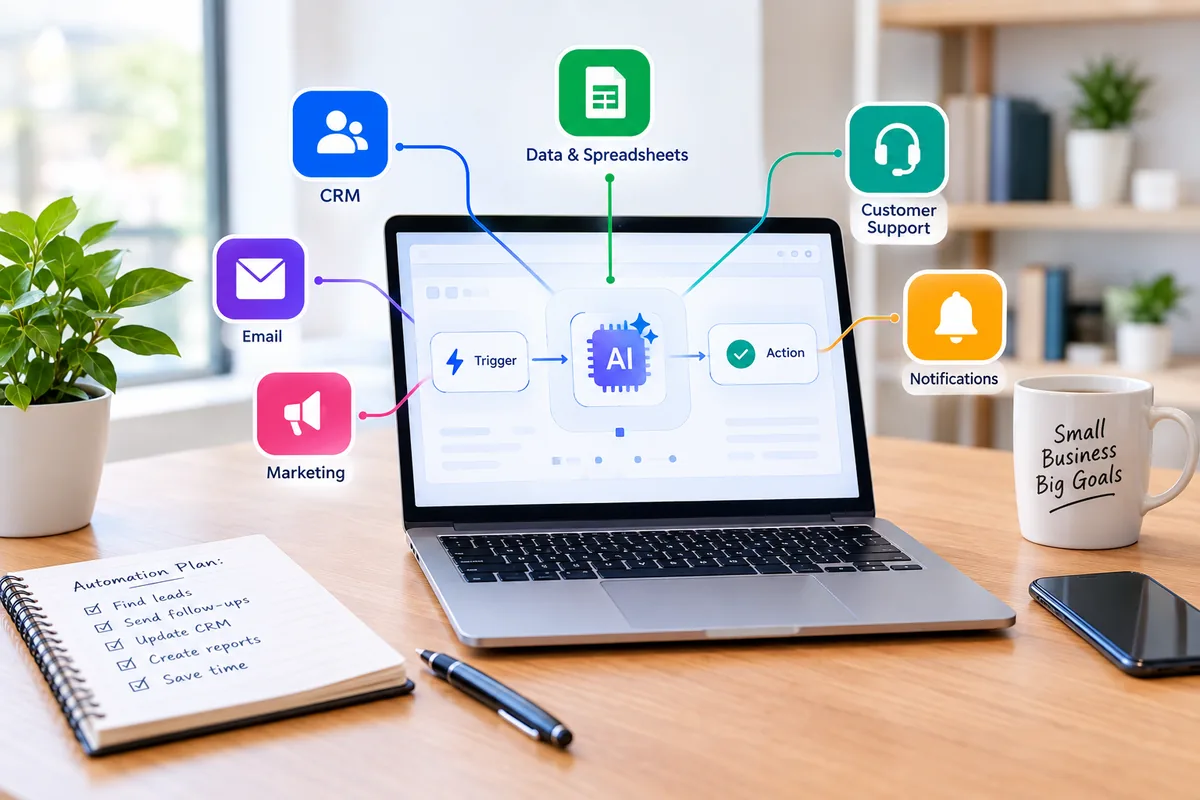


Choosing AI automation software is not about finding the platform with the longest feature list. Small businesses need a tool that connects to their existing applications, is manageable by their team, and costs less to run than the value it creates. Zapier, Make, n8n, and Microsoft Power Automate take different approaches to ease of use, integrations, billing, and technical control.
This guide explains how to evaluate those trade-offs, compare platforms, estimate costs, and test one workflow before paying. It focuses on how to choose AI automation tools rather than repeating a list of products.
What Should Small Businesses Look for in AI Automation Software?
Start with your workflow, not a vendor demo. Choose software that supports the exact triggers and actions you need, gives staff a clear way to review AI-generated output, exposes errors, and has a billing model you can estimate from actual usage. The right choice depends on your existing software, team skills, and monthly transaction volume.
What to check: App integrations | Question to answer: Can it read and update records in our CRM, email, accounting, and other essential systems?
What to check: Setup and maintenance | Question to answer: Can someone on our team change a field mapping or repair a broken step?
What to check: Usage billing | Question to answer: What counts as a billable task, credit, execution, or seat?
What to check: Human review | Question to answer: Can customer messages and financial entries remain drafts until approved?
What to check: Reliability | Question to answer: Are failed runs logged, retried, and reported to an owner?
What to check: Privacy | Question to answer: What data is shared with the platform and any connected AI model?
7 Factors to Compare Before Choosing an AI Automation Tool
Integration With Existing Software
Check more than the number of apps in a vendor’s catalog. Confirm that each connector supports the exact trigger, search, and write action your workflow requires. An accounting app may be listed but lack the action needed to create a draft bill. For a home-services business using HubSpot and QuickBooks, test both the lead lookup and invoice-related actions before subscribing.
Ask before buying: Can our exact workflow be built with supported connectors on the plan we intend to buy?
Ease of Use and Learning Curve
A founder or operations manager may need to maintain workflows without a developer. Try mapping a form field, editing a condition, and inspecting a failed run. Zapier’s step-by-step editor may feel approachable to beginners; Make’s visual canvas can make branching logic easier to see; n8n generally requires more technical comfort.
Ask before buying: Could a second employee fix a renamed field without writing code?
AI Capabilities Versus Rule-Based Automation
Use ordinary rules for predictable tasks such as moving a form submission to a CRM. Use AI when a task requires interpreting unstructured language or documents, such as classifying a support request or extracting fields from a receipt. Mixing both approaches reduces cost and gives you more control over uncertain AI output.
Ask before buying: Can we validate AI output with rules before the next action runs?
Pricing and Usage-Based Costs
A low advertised monthly fee can be misleading. Count all billable steps, repeated loops, AI calls, team seats, and possible overages. Ask whether the system stops at a limit or automatically charges extra. Test the actual usage meter rather than relying on a hypothetical example from a sales page.
Ask before buying: How many units does one complete run consume, and what happens if volume doubles?
Reliability and Error Handling
External services occasionally reject requests, time out, or change their APIs. Look for execution histories, retries, failure alerts, and a way to resume safely without duplicating records. For example, if an SMS notification fails after a CRM contact was created, retrying should not create a second contact.
Ask before buying: Can we recover from a failed step without repeating completed actions?
Security and Customer Data Protection
Automation platforms may hold access to customer, financial, and internal business systems. Review vendor security documentation, role-based permissions, credential storage, data retention, and the policies of any connected AI provider. Do not assume a certification or AI-training exclusion applies to every plan and integration.
Ask before buying: Who can access customer data, and which third parties process it?
Scalability and Team Collaboration
A workflow built by one person may eventually support several departments. Check shared connections, workspace permissions, seat limits, concurrency, and whether the company can transfer ownership when an employee leaves. Avoid shared personal logins.
Ask before buying: Can multiple authorized employees maintain workflows without sharing passwords?
Zapier vs. Make vs. n8n vs. Microsoft Power Automate
These platforms are not interchangeable. The best choice depends on how your team works and how the vendor meters activity. Features and prices change, so confirm the current terms on each official pricing page before making a purchase.
Platform: Zapier | Good fit: Nontechnical owners and small teams | Strength: Guided setup and broad app ecosystem | Trade-off: Action-based usage can become costly in high-volume workflows | Official pricing: Zapier pricing
Platform: Make | Good fit: Operations teams and agencies | Strength: Visual branching and detailed data transformations | Trade-off: Credit accounting and complex scenarios require learning | Official pricing: Make pricing
Platform: n8n | Good fit: Technical teams and custom workflows | Strength: Flexible nodes, APIs, and self-hosting options | Trade-off: Cloud limits and self-hosted maintenance need evaluation | Official pricing: n8n pricing
Platform: Microsoft Power Automate | Good fit: Microsoft 365-centered businesses | Strength: Works closely with Teams, SharePoint, and Microsoft services | Trade-off: Premium connectors and licensing can be complex | Official pricing: Microsoft pricing
When to Consider Gumloop
Gumloop may be worth evaluating when a workflow centers on AI-assisted research, document processing, or browser-based tasks rather than routine app-to-app syncing. Check its current integrations, credit rules, and available review controls on the official Gumloop pricing page.
For individual product profiles, see Rank & AI’s best AI automation tools for small businesses.
Which AI Automation Tool Is Right for Your Business?
Solo Entrepreneur
Start by testing Zapier and Make for form submissions, calendar notifications, and simple email drafts. Favor a tool you can maintain alone over advanced agent features. Begin with one low-risk workflow and record its usage.
Small Marketing Agency
Test Make for branching campaign workflows and consider an AI-focused platform for research-heavy tasks. Verify client workspace separation, approval steps, and permissions. For complementary tools, read our AI marketing software guide.
E-Commerce Business
Compare Make and Zapier using real order volumes. Order, stock, and returns workflows can run many times a day, so estimate the cost of every action and test seasonal spikes.
Professional Services Company
Prioritize permissions, secure document handling, auditability, and human review. Zapier and Make are candidates, but your confidentiality requirements may determine which services you can connect. Related options appear in our AI productivity tools guide.
Microsoft 365-Based Business
Start with Power Automate when your team already relies on Outlook, Teams, SharePoint, and Microsoft approvals. Verify which connectors your Microsoft licenses include before adding paid features.
Technically Experienced Small Business
Consider n8n for complex APIs, custom transformations, or self-hosting. Budget for monitoring, backups, updates, and security; a free software license does not make infrastructure or maintenance free.
5 Practical Small Business Automation Scenarios
Lead Capture and CRM Follow-Up
Workflow: A new website form submission triggers a data check, AI classification of the inquiry, a CRM search or update, and a follow-up email draft.
Human checkpoint: The salesperson reviews the classification and email before sending.
Watch for: Missing contact details, duplicate CRM records, and vague AI labels.
Customer Support Request Routing
Workflow: A new support message is filtered, categorized by issue and urgency, and assigned to the appropriate queue. AI can draft a reply using an approved FAQ.
Human checkpoint: An agent checks the relevant policy and live order status before responding.
Watch for: Invented refund policies, missing context, and incorrectly classified urgent tickets.
Invoice and Receipt Processing
Workflow: An uploaded invoice is read, key fields are extracted, and a draft bookkeeping entry is created. A rule checks totals and duplicate invoice numbers.
Human checkpoint: A bookkeeper checks the original document and approves the draft.
Watch for: Unreadable scans, extraction mistakes, and mismatched totals.
Marketing Content Distribution
Workflow: Publishing an approved blog post triggers draft social posts and newsletter summaries based on the source article.
Human checkpoint: An editor approves claims, links, and tone before scheduling.
Watch for: Outdated links, generic copy, and expired scheduling connections.
Weekly Business Performance Reporting
Workflow: A scheduled workflow gathers source data, calculates totals using formulas or code, and asks AI to summarize notable changes.
Human checkpoint: A manager verifies data completeness and context before sharing.
Watch for: Incomplete API results, time-zone differences, and incorrect AI interpretations.
For more implementation examples, see AI workflow automation for small businesses.
How Much Does AI Automation Cost for a Small Business?
Automation platforms use different units. Zapier commonly meters tasks; Make uses credits; n8n Cloud uses workflow executions; and Power Automate has user- and process-based licensing options. AI model calls, third-party API subscriptions, premium connectors, and hosting may add costs. Do not compare only the headline subscription price.
Cost type: Platform subscription | What to count: Monthly or annual plan and its included usage
Cost type: Workflow usage | What to count: Tasks, credits, executions, or process runs per month
Cost type: AI processing | What to count: Model calls, tokens, or platform AI credits
Cost type: Connected applications | What to count: Premium API or connector requirements
Cost type: Maintenance | What to count: Staff time for errors, changes, and monitoring
Cost type: Infrastructure | What to count: Hosting and backups for self-managed systems
Illustrative example: If a workflow runs 500 times per month and uses four billable actions per run, it may consume about 2,000 action units on a task-based platform. A platform that charges once per complete workflow could count approximately 500 executions instead. These are different units, not comparable prices; test each platform’s actual billing rules.
If you are just starting, compare these choices with our free AI tools for small business owners.
How to Calculate AI Automation ROI
Estimate the time saved after accounting for review and maintenance. Then subtract subscription, AI processing, and setup costs. Recovered labor time is useful capacity, but it does not automatically reduce payroll spending.
Illustrative calculation: Manual work before automation | Monthly estimate: 25 hours
Illustrative calculation: Review and maintenance after automation | Monthly estimate: 7 hours
Illustrative calculation: Net time recovered | Monthly estimate: 18 hours
Illustrative calculation: Estimated labor value at $35/hour | Monthly estimate: $630
Illustrative calculation: Software, AI usage, and amortized setup | Monthly estimate: $77.50
Illustrative calculation: Net monthly value estimate | Monthly estimate: $552.50
The example assumes the recovered time is productively redeployed. Your actual savings may be lower or higher. Track error rates and rework as well as time saved.
How to Test an AI Automation Tool Before Paying
Day 1 — Select One Workflow
Choose a frequent, low-risk task such as saving a lead and preparing a reply draft.
Day 2 — Map the Process
Write down the trigger, fields, rules, AI step, and approval point.
Day 3 — Connect Applications
Confirm the required triggers and actions work with your current plan.
Day 4 — Build a Draft
Use deterministic checks first; send AI output to a review queue.
Day 5 — Test Failures
Try normal inputs, missing fields, and a duplicate record.
Day 6 — Measure Usage
Record task or credit consumption, staff review time, and error handling.
Day 7 — Decide
Compare cost, accuracy, maintainability, and team confidence.
Pilot check: Integration coverage | Pass condition: All essential actions work on the intended plan
Pilot check: Output accuracy | Pass condition: AI drafts are reviewable and do not silently update sensitive records
Pilot check: Error handling | Pass condition: Failures produce a visible alert and safe recovery path
Pilot check: Cost visibility | Pass condition: Projected monthly usage fits a sustainable budget
Pilot check: Team ownership | Pass condition: A second employee can understand the workflow
Common Mistakes When Choosing AI Automation Software
• Buying an advanced AI agent platform when a simple rule would do.
• Assuming a listed integration supports every action you need.
• Comparing subscription prices without counting tasks, credits, and AI usage.
• Automating an inconsistent manual process before fixing it.
• Skipping error alerts, retries, and duplicate-record safeguards.
• Giving connected apps broader permissions than necessary.
• Automatically sending AI-generated customer messages without review.
• Paying annually before a realistic pilot confirms the workflow works.
Frequently Asked Questions
What is the best AI automation tool for a small business?
There is no universal winner. Zapier is often easier to start with, Make suits visual multi-step workflows, n8n offers flexibility for technical teams, and Power Automate fits many Microsoft 365 environments. Test the platform against your actual applications and expected monthly usage.
Can small businesses use AI automation for free?
Yes. Some vendors offer free plans or trials, and n8n has a self-hosted community option. Limits vary, and AI model calls or hosting can still cost money. Use a free option to validate one workflow before committing to a paid plan.
Is Zapier or Make better for beginners?
Zapier’s linear editor may be simpler for a first automation. Make’s visual canvas can be useful for branching and data transformations, but it has a learning curve. Try the same workflow in both and compare setup time, error visibility, and actual usage.
Is n8n suitable for nontechnical users?
Some nontechnical users can learn its visual editor, but complex integrations and self-hosting require more technical knowledge. If your business lacks technical support, compare the ongoing maintenance effort with simpler hosted alternatives.
What is the difference between AI automation and traditional automation?
Traditional automation follows explicit rules, such as moving form data to a CRM. AI automation adds interpretation of unstructured content, such as classifying an email or extracting invoice details. Both approaches can work together, with human approval for sensitive decisions.
How much does small business automation software cost?
Costs depend on the platform, plan, usage, and connected services. A low-cost plan may be enough for a few workflows, while frequent multi-step runs can require higher tiers. Check official pricing and estimate your monthly tasks, credits, or executions before buying.
Can AI automation tools work with existing business software?
Often, yes. Many platforms connect to email, CRM, spreadsheets, accounting, and e-commerce applications. However, connector capabilities vary. Verify the exact triggers and write actions you need; a listed app does not guarantee full functionality.
How do I choose an automation platform without wasting money?
Document one repetitive task, identify the required app actions, and run a seven-day pilot. Measure setup time, errors, review effort, and usage. Upgrade only when the workflow works reliably and the expected value justifies the ongoing cost.
Conclusion
The best automation platform is the one your business can operate reliably at a sustainable cost. Begin with one low-risk workflow, test real integrations and failures, and keep a person in the loop for customer-facing or financial actions. Once you know your actual usage and maintenance needs, you can expand with greater confidence. For product-by-product details, return to our AI automation tools comparison.